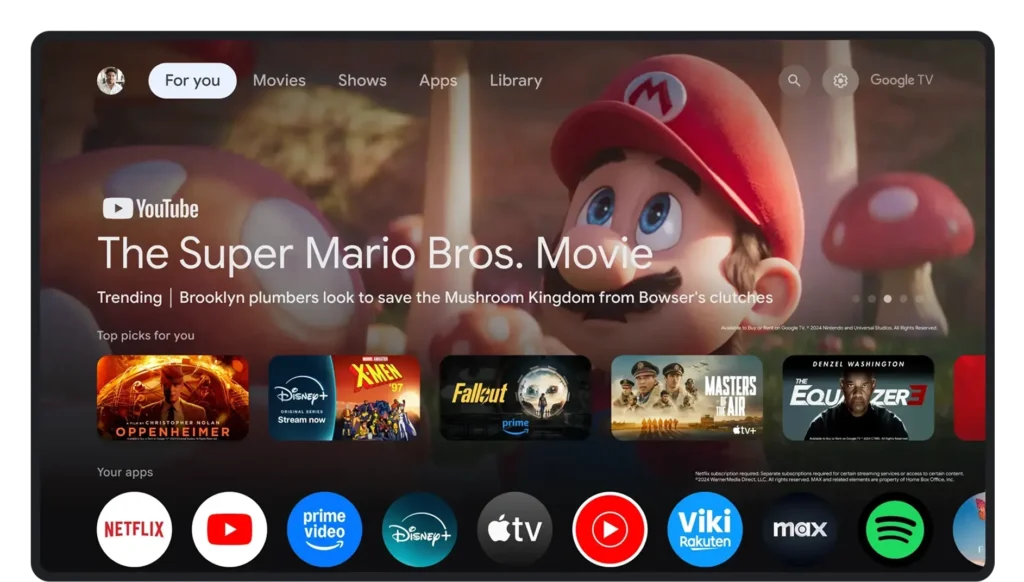
The way we use our TVs is slowly changing, and Google seems to be pushing that shift pretty aggressively now. With its latest update to Google TV, the company isn’t just focusing on streaming anymore — it’s trying to turn the TV into something more interactive, almost like a creative hub sitting right in your living room. And honestly, some of these new features feel like they’re blurring the line between watching content and actually making it.
One of the most noticeable changes is the addition of YouTube Shorts directly on the home screen. Instead of opening YouTube separately, users will now see a “Short videos for you” row that surfaces vertical clips instantly. It’s a small shift in design, but it changes behavior quite a bit. TVs were always about long-form content, but now they’re clearly adapting to shorter attention spans too. It also shows how platforms are trying to bring mobile-style consumption into the living room experience.
But the bigger update is clearly happening on the AI side. Google is bringing its Gemini-powered tools to TV, and this is where things start to feel different. One of those tools, Nano Banana, lets users create or edit images using just voice commands. You can literally describe what you want — like changing a background or generating something new — and the TV handles it. It’s not just about viewing photos anymore, it’s about interacting with them in real time, almost like turning your TV into a creative canvas.
Then there’s Veo, which takes things a step further by allowing users to generate videos directly on the TV. Instead of needing editing software or a phone, you can create short clips or animate images just by speaking your idea out loud. It sounds simple, but it’s actually a pretty big shift in how content creation works. The idea seems to be making creativity more social — something you can do sitting with friends or family, instead of alone on a laptop.
Google is also reworking how Google Photos functions on TV, and this part feels more practical but still useful. With Gemini integration, users can now search their photo library using voice — like asking for a specific trip or event — and instantly see results on the big screen. On top of that, there’s a new Remix feature that lets you apply artistic styles like watercolor or oil painting directly to your images, giving them a completely new look without needing any extra apps.
Another subtle but nice upgrade is in slideshows. Instead of basic image transitions, Google is introducing more dynamic, collage-style displays that make photos feel more alive when shown on TV. It’s clearly designed for shared viewing — something that looks good when you have people around rather than just scrolling through pictures alone.
For now, many of these features are rolling out first in the US, especially on Gemini-enabled devices like select TCL Google TVs. But the broader direction is pretty clear. Google isn’t treating the TV as just a passive screen anymore. It’s trying to turn it into a space where you watch, search, create, and interact — all without leaving your couch. And if this approach works, the definition of a “smart TV” might start to change completely over the next few years.