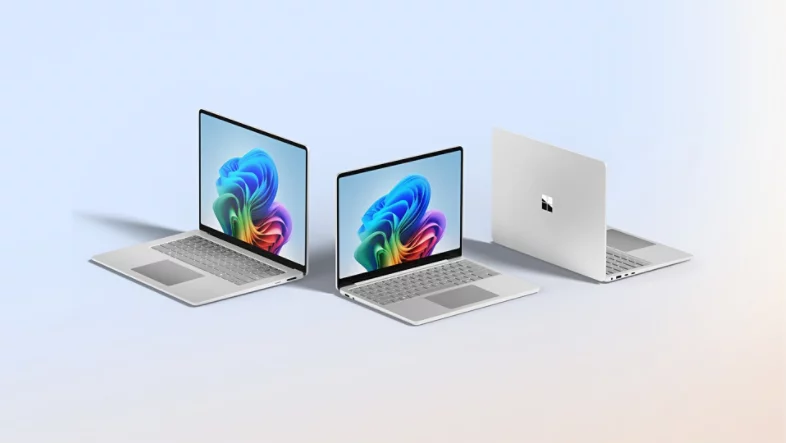
Microsoft is pushing deeper into AI-powered laptops again, but this time the company is also trying to solve a problem many office workers quietly deal with every day — people staring at their screens in public places. The company officially introduced its latest Surface Laptop for Business and Surface Pro for Business lineup, and while these machines are technically aimed at companies, some of the new features honestly make them interesting even for regular users.
The biggest attention grabber is probably the new integrated privacy screen option on the Surface Laptop. Microsoft says it’s the first time a Surface device has included this kind of built-in privacy protection. The feature can reportedly be activated with a dedicated button, making it harder for nearby people to see what’s happening on your display. Anyone who works on confidential documents at airports, cafes, trains, or airplanes will probably understand why that’s a pretty useful addition.
Microsoft Wants Surface Devices To Feel Smarter And More Interactive
The company is also introducing a much more advanced haptics system across the new devices. Instead of simple trackpad vibrations, Microsoft is trying to make interactions feel more physical and responsive. According to the company, the laptop can provide different tactile feedback depending on what users are doing, like dragging files into the correct area, resizing windows, or moving near certain buttons on the screen.
During demonstrations, the trackpad reportedly vibrated differently as users approached targets, creating subtle guidance while interacting with the interface. Microsoft calls this part of its “Advanced Haptics” system, which sounds like the company’s attempt to make Windows devices feel more immersive and modern in small but noticeable ways. The vibrations also extend to the Surface Slim Pen 2, which can provide feedback while writing or drawing.
What’s interesting is that Microsoft isn’t treating haptics like a small side feature anymore. The company appears to be building it into Windows as a broader interaction system that third-party apps can support too. Apps like Wondershare Filmora and Concepts already reportedly work with the new haptic features, which could make creative work feel a little more natural over time.
AI Is Still The Main Focus Behind The New Surface Push
Even with the privacy features and haptics getting attention, artificial intelligence still feels like the real centerpiece behind these new Surface devices. Microsoft designed both products to handle more AI processing directly on-device instead of depending heavily on cloud servers. That approach is becoming more common across the industry as companies race to build “AI PCs” that can run smart features locally for better speed and privacy.
The new Surface Laptop models come in 13-inch, 13.8-inch, and 15-inch sizes and use Intel’s Core Ultra Series 3 processors. Microsoft claims some configurations can deliver graphics performance up to 35 percent higher than Apple’s MacBook Air with the M5 chip, though real-world comparisons will obviously depend on usage. Battery life numbers are also pretty ambitious, with Microsoft estimating up to 23 hours on the Surface Laptop and up to 17 hours on the Surface Pro.
Pricing, though, might shock regular buyers a bit. The 13-inch Surface Laptop for Business starts around $1,300, while larger models and the Surface Pro for Business begin closer to $1,950. These systems are mostly meant for organizations buying devices in bulk for employees, but technically anybody can still purchase them individually.
Surface Is Quietly Becoming Microsoft’s AI Showcase
Over the last few years, Microsoft has slowly transformed the Surface lineup into more than just premium Windows hardware. The devices now feel like testing grounds for where the company thinks personal computing is heading next — AI integration, local processing, advanced touch interactions, stylus feedback, and security-focused features all packed together.
The privacy screen especially stands out because it addresses something surprisingly practical instead of chasing flashy marketing buzzwords. While the effect reportedly doesn’t fully block side-angle viewing, it seems effective enough to reduce casual shoulder surfing in public spaces. For remote workers and traveling professionals, that alone could become one of the laptop’s most appreciated features.